
Choosing the Best Trading Website in India
Find the best trading website in India 🖥️ with top features like security 🔒, low fees, research tools 📊, and expert customer support 📞 to trade confidently.
Edited By
Oliver White
Choosing the right PC for trading makes a big difference to your daily work. Trading demands quick decisions and constant screen updates. So, your computer must handle real-time market data without slowing down. It isn’t just about having an expensive machine; having the right setup is what counts.
In India, traders often work with multiple platforms – from NSE and BSE terminals to brokerage apps like Zerodha Kite or Upstox. Your PC needs to run these smoothly while keeping communication apps like WhatsApp or Zoom active for instant updates. Slow or laggy systems can cost valuable seconds, which in trading can mean missed opportunities.
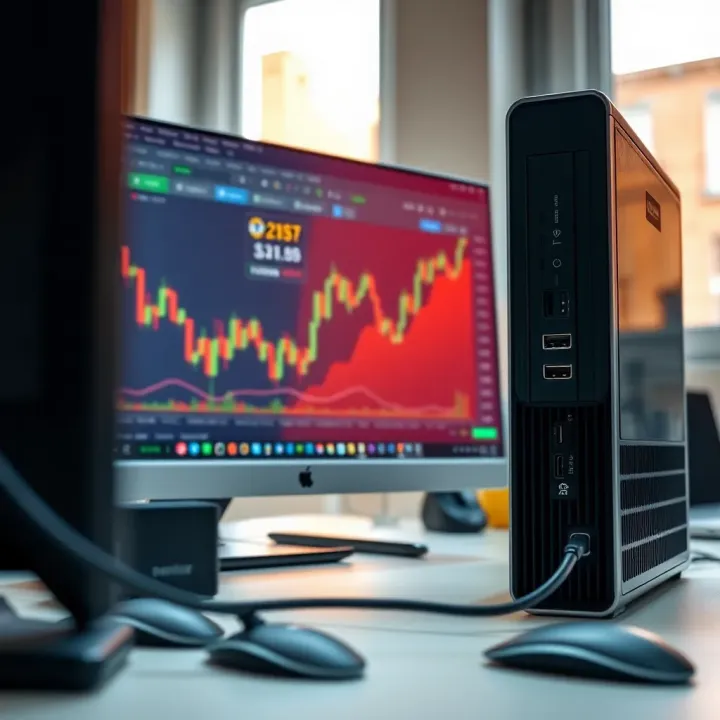
A reliable trading PC reduces delays and supports uninterrupted access to live data, helping you stay ahead.
In this guide, we’ll walk through the key features every trader should consider, from processing power to connectivity options. Knowing these elements helps you invest wisely instead of overspending on unused specs.
Before choosing, think about your trading style. Are you a day trader needing lightning-fast refresh rates? Or a long-term investor focusing more on analysis? Your PC should fit your approach. Plus, budget is a key factor, so we’ll cover options from entry-level desktops to more powerful setups costing ₹50,000 or above.
With the right information, you can find a PC that supports multiple charts and watchlists, runs essential software, and connects consistently without breaking the bank. This guide focuses on Indian market realities and user habits, making it practical for you to apply.
Let’s start by breaking down the must-have components and features for a trading PC tailored to India’s trading ecosystem.
Choosing the right PC for trading starts with understanding what the trading software demands from your system. Many traders underestimate the software's specific needs, which affects performance and decision-making speed. Some platforms require real-time data feeds and rapid processing to avoid delays that could cost dearly in fast-moving markets.
Trading hinges on instant access to market data. Platforms stream live prices, volume, and order book updates continuously. If your PC lags in handling these streams, you'll see delayed information, impacting your ability to make timely trades. For example, active traders using NSE or BSE data require low-latency processing; otherwise, the latest price quotes might reach you seconds late, resulting in lost profits.
Most platforms offer advanced charting capabilities to analyse price movements, trends, and indicators like RSI or MACD. This functionality demands smooth graphics and quick computation. A sluggish PC can freeze charts during critical moments, hampering technical decisions. For instance, if you're watching candlestick patterns for swing trading, delays in rendering charts disrupt your analysis.
A fast PC ensures your orders process instantly, reducing slippage and mismatches. Even with a reliable internet connection, a slow system can bottleneck order placement. Trading software like Zerodha Kite or Upstox Pro optimise for quick execution, but your hardware must support this speed to gain an edge.
Professional traders often use several monitors to monitor multiple stocks, news feeds, and watchlists simultaneously. Effective multi-screen support helps keep everything visible without constant toggling. PCs with good display output options (HDMI, DisplayPort) and sufficient graphics power make multi-monitor setups hassle-free, improving overall efficiency.
Many popular trading platforms work well on Windows, while some offer Mac versions or web apps. For example, NSE NOW and ICICI Direct provide Windows-based clients, while others like Upstox Pro have browser-based access. Choosing an OS compatible with your preferred software avoids driver or compatibility issues that can slow down your work.
Trading software thrives on sufficient RAM and a fast processor. At least 8 GB of RAM is advisable, enabling smooth multitasking between charts, research, and order windows. A quad-core processor helps handle real-time calculations without lag. For example, Intel Core i5 or AMD Ryzen 5 processors offer a good balance for most traders, ensuring quick response times.
While integrated graphics suffice for basic charting, dedicated graphics cards enhance display performance, especially in multi-screen setups. If you plan to run multiple high-resolution monitors, a mid-range GPU like NVIDIA GTX series helps avoid stuttering. This setup is useful for day traders who keep an eye on several markets simultaneously.
Understanding your trading software’s specific requirements lets you pick hardware that avoids bottlenecks, helping you trade confidently and efficiently.
Aligning your PC's capabilities with the platform’s needs ensures you won't miss critical market moves due to technical delays.
Choosing the right hardware components for your trading PC directly impacts your ability to handle fast-paced market changes. A well-balanced system ensures smooth real-time data processing, quick order execution, and efficient multitasking without lag. Let's break down the key hardware parts every trader in India should consider.
Choosing Between Intel and AMD Processors
The CPU (central processing unit) acts as your PC's brain, processing data and running applications. Intel and AMD are the main players here. While Intel processors traditionally dominated trading setups for their reliability and single-core performance, AMD's Ryzen series now offers excellent multi-core performance at competitive prices. For example, an AMD Ryzen 5 5600X or Intel Core i5 12th Gen delivers fast processing for most trading platforms. Traders using multiple apps simultaneously or engaging in algorithmic trading may find AMD's multi-threading beneficial.
Importance of RAM Size for Multitasking
RAM (random access memory) affects how many tasks your PC handles smoothly at once. Trading often means juggling charting software, news feeds, spreadsheets, and browsers simultaneously. Starting with at least 16GB RAM ensures your computer won’t choke when multiple programs are active. For heavy multitasking or running virtual machines, 32GB might be required. Without enough RAM, your system will slow down, risking delayed data updates or order input.
Integrated vs Dedicated Graphics
Integrated graphics come built into most processors and work well for basic displays. However, dedicated graphics cards offer better support for multiple monitors and high-resolution setups, which is common in trading desks. A mid-range card like NVIDIA GTX 1650 or AMD Radeon RX 5500 can run 3 or more monitors effectively. If you use detailed charting tools with complex visual data, a dedicated GPU will prevent lag and reduce eye strain.
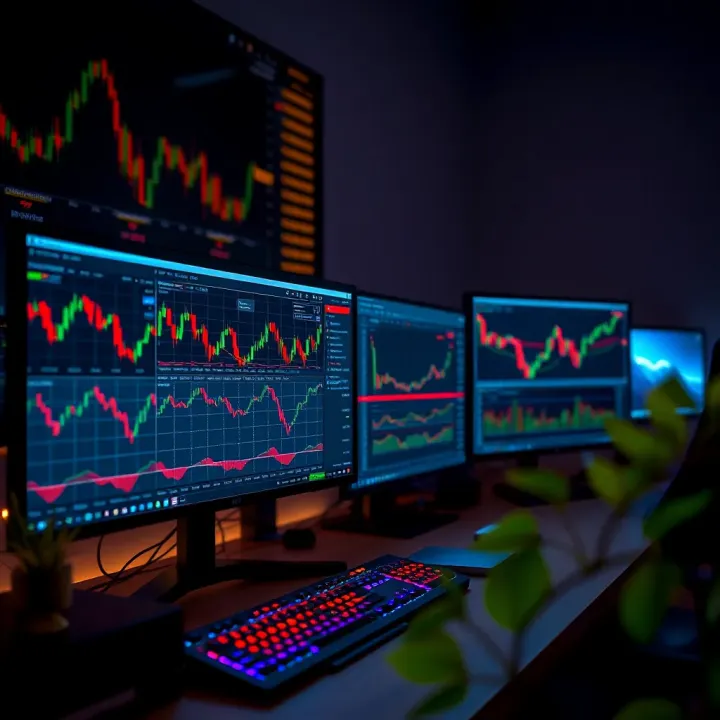
Benefits of Multi-monitor Configurations
A multi-monitor setup boosts your productivity by giving more screen real estate. Imagine tracking live market trends, order books, and news on separate screens without constantly switching windows. Many professional Indian traders use at least two or three monitors. This setup allows you to spot market shifts quickly and execute trades faster, an essential advantage in volatile markets.
SSD vs HDD
Solid State Drives (SSD) deliver much faster read/write speeds than traditional Hard Disk Drives (HDD). This speed means quicker boot times, faster launching of trading software, and near-instant loading of data-heavy market charts. An SSD also lowers the chance of lag during critical market moments. While SSDs cost more per GB, the performance gain is significant for real-time trading.
Recommended Storage Capacity
For most traders, a 512GB SSD is sufficient to store the operating system, trading software, and data files comfortably. If you work with extensive historical data or video market analyses, a 1TB SSD or an additional HDD for archival storage could be a wise choice. Keep in mind that Indian traders benefit from a hybrid approach: SSD for performance-critical tasks, HDD as a budget-friendly backup.
Reliable Internet Connectivity
An uninterrupted Internet connection is non-negotiable. Wired Ethernet connections remain the gold standard for stability and speed, essential during sudden market swings. While wireless can be convenient, it might drop packets or lag, costing you precious milliseconds. Having a 4G or 5G mobile hotspot as backup helps maintain connection during broadband outages.
Keyboards, Mice, and Backup Power Solutions
Comfortable peripherals improve efficiency over long trading hours. Mechanical keyboards provide tactile feedback for fast typing, while precision mice assist in quick navigation. Also, investing in an uninterruptible power supply (UPS) safeguards against power cuts common in many Indian cities. This backup prevents sudden shutdowns, giving you time to save work or complete trades safely.
A trading PC is only as good as its weakest link. Prioritise a balanced configuration that suits your trading style and market demands to stay ahead without overspending.
For traders in India, striking the right balance between a PC's performance and its price tag is central to making a smart purchase. Trading software demands enough speed and reliability without necessarily pushing for top-end specifications that come with hefty costs. A carefully chosen PC supports smooth multitasking, real-time data processing, and timely order executions—all essential for successful trading.
Entry-level PCs offer basic but sufficient performance for beginners starting with trading platforms. For instance, a desktop featuring an Intel Core i3 or AMD Ryzen 3 processor paired with 8GB RAM can smoothly run popular trading apps like Zerodha Kite or Upstox Pro. Such setups keep the initial investment modest—usually around ₹25,000 to ₹35,000—making trading accessible without undue financial pressure.
Laptops in this category also provide mobility and are preferable for buyers frequently on the move. Brands like Dell and HP have budget models that combine decent processing power and display quality suitable for chart reading and data tracking. Just ensure the unit has a reliable SSD as storage, which speeds up boot time and software loading.
Buying second-hand or refurbished PCs offers an affordable entry into trading setups, especially when funds are tight. Indian marketplaces often have refurbished desktops with processors like Intel Core i5 from earlier generations, paired with 8GB–16GB RAM, priced 30-40% lower than new models. These can handle multiple trading windows and chart analysis well.
That said, such purchases require careful vetting—checking warranty, battery life for laptops, and verifying hardware condition—to avoid unexpected downtime. Certified refurbished options from authorised resellers come with added security and better value.
Active day traders demand PCs that keep up with fast market movements and multiple real-time charts. Mid-range PCs with Intel Core i5/i7 or AMD Ryzen 5/7 processors and 16GB RAM strike a good value-performance balance. A dedicated graphics card, such as NVIDIA GTX 1650, helps when running multi-screen setups or graphic-intensive charting tools.
This configuration not only ensures stable performance but often fits within ₹50,000 to ₹80,000 budget, making it practical for serious traders without overspending. Ample SSD storage (at least 512GB) is advisable to handle software updates and data cache efficiently.
Brands like HP, Lenovo, Dell, and ASUS are well-regarded among Indian traders for mid-range PCs. Their models often bundle solid after-sales service and service centres nationwide, which is vital for quick hardware repairs. Lenovo ThinkCentre desktops or ASUS VivoBook laptops are popular picks, balancing durability with performance.
Choosing a brand also frequently depends on personal service experience and availability of spare parts locally. Opting for widely available models reduces downtime in case of repairs—an important consideration for traders who must avoid missing market action.
Professional traders juggling heavy workloads or automated trading systems benefit from top-end PCs. Models equipped with Intel Core i9 or AMD Ryzen 9 processors deliver ultra-fast speeds to process multiple software instances without lag. Graphics cards like NVIDIA RTX 3060 or better support extensive multi-monitor setups with smooth visuals.
Such machines also come with 32GB or more RAM, ensuring that running several trading platforms, analytics tools, and real-time news feeds remains fluid. These specifications minimise delays critical for executing high-frequency trades.
While high-end PCs involve a greater upfront cost (usually above ₹1,00,000), the investment pays off in reliability and time savings during busy trading sessions. Professionals handling options, futures, and derivatives can avoid costly slippages with a stable, responsive setup.
Besides processing power, attention to components like fast NVMe SSDs and quality cooling systems ensures sustained performance over long market hours. In busy metros like Mumbai or Bengaluru, where electricity fluctuations happen, pairing these PCs with UPS devices further defends against disruptions that could otherwise cost money.
Balancing cost against the PC's ability to handle your specific trading needs helps keep your trading efficient without breaking the bank. Whether you are just starting or managing high-volume trades, the right PC delivers timely data processing, seamless multitasking, and robust connectivity within your budget.
Optimising your trading setup is vital to ensure smooth and timely decisions in today’s fast-moving markets. This means configuring your computer system and workspace to reduce delays, improve comfort, and protect against unexpected disruptions. For traders, even a minor lag or system glitch can cause missed opportunities or costly errors, so attention to detail here pays off significantly.
Having an adequate screen size and resolution is crucial for viewing multiple charts, news feeds, and trading platforms simultaneously. A 24 to 27-inch Full HD (1920x1080) monitor is usually the sweet spot for most traders, balancing clarity and desk space. If your trading requires detailed technical analysis or running multiple applications side-by-side, a higher resolution like 2560x1440 (QHD) can offer sharper visuals and more screen real estate.
In practical terms, traders often prefer multi-monitor setups, such as two or three monitors connected to one PC, to monitor portfolios, market data, and execute trades without switching windows constantly. This improves response time and reduces fatigue.
Ergonomics also matters—a well-positioned monitor at eye level avoids neck strain during long trading sessions. Anti-glare screens or matte finishes can reduce eye fatigue, especially when working through Delhi’s or Mumbai’s bright daylight hours around your workspace. Adjusting brightness and contrast according to ambient lighting helps as well.
Investing in adjustable monitor stands or arms allows you to align screens perfectly and declutter your desk, promoting better focus. These small comforts support efficiency and reduce errors caused by discomfort or distractions.
For traders, reliable internet connectivity is non-negotiable. A wired Ethernet connection generally offers the most stable and faster speeds, essential for real-time data streaming and order execution. Wireless connections can suffer from interference, leading to potential delays or disconnections that can cost dearly during market volatility.
That said, a good quality Wi-Fi (preferably 5 GHz band) can work if wired is not feasible, but keep in mind the risk during peak hours or in congested apartment complexes.
Having a backup internet plan can be a lifesaver. Using a mobile hotspot or tethering your trading PC with a smartphone’s 4G/5G connection helps sustain trading operations if your primary broadband fails. Several Indian telcos offer affordable data packs; having one on standby ensures you’re not completely offline at critical moments.
Consider keeping a simple USB dongle with a prepaid SIM for quick switchover. Regularly testing backup options minimizes the chances of unpleasant surprises.
Uninterruptible Power Supplies (UPS) provide crucial time to safely save work and exit trading platforms during sudden power cuts, which are not uncommon in many Indian cities. A UPS rated for at least 30-60 minutes backup is advisable, allowing you to handle unexpected outages without rushing.
Moreover, UPS units with voltage regulation protect against power fluctuations common during monsoon seasons or in areas with unstable supply.
Sudden voltage spikes can damage sensitive computer components and lead to costly repairs or data loss. Surge protectors and voltage stabilizers regulate electricity flowing to your PC and peripherals, safeguarding your equipment.
Using a good-quality stabilizer is especially important for traders located in tier-2 and tier-3 cities, where power supply consistency can vary greatly. This simple addition helps extend your hardware's life and keeps your trading setup operational even during electrical disturbances.
A well-optimised trading setup is not just about powerful hardware but also about creating a stable, efficient, and comfortable environment that lets you react swiftly and safely to market changes.
A well-maintained trading PC performs reliably and extends its lifespan. Regular maintenance and timely upgrades prevent unexpected downtimes, which can cause missed trades or delayed decision-making. Traders must focus on both software and hardware aspects to ensure smooth, uninterrupted trading experiences.
Keeping your trading software and operating system up to date is vital. Updates patch security vulnerabilities, improve performance, and add compatibility for new features. For example, if your brokerage's platform releases a new version, updating promptly reduces the risk of glitches or connection issues during crucial market hours. Similarly, Windows or Linux system updates often include important security patches that can prevent malware attacks or system crashes.
Trading PCs deal with sensitive financial information, making them prime targets for cyber threats. Employing a reliable antivirus programme and enabling real-time scanning help protect against viruses and ransomware. Additionally, using a firewall and regularly backing up trading data to secure cloud storage or external drives ensures that even in case of an attack or hardware failure, your information is safe. For example, several traders schedule weekly backups to avoid data loss during market volatility.
Dust accumulation can clog fans and vents, leading to overheating and slower PC performance. Regular cleaning—either by opening the cabinet carefully or using compressed air—helps maintain optimal airflow. In India’s dusty environments, traders might notice temperature spikes if they ignore this aspect. Investing in quality cooling solutions like additional fans or liquid cooling systems keeps the processor and graphics card running efficiently, especially during long trading sessions.
Building a trading PC with upgrade paths in mind saves money and hassle later. Choosing motherboards with extra RAM slots or additional PCIe slots for future graphics cards means you can boost performance as trading demands grow. For instance, a trader starting with ₹50,000 hardware might upgrade RAM from 8GB to 16GB or swap to a faster SSD without replacing the entire system. Consider modular components that allow easy replacement to keep pace with software requirements and market tools evolving continuously.
Regular maintenance and smart planning let your trading PC keep up with market demands without frequent costly overhauls. Taking care of software and hardware today helps avoid trading headaches tomorrow.
Find the best trading website in India 🖥️ with top features like security 🔒, low fees, research tools 📊, and expert customer support 📞 to trade confidently.
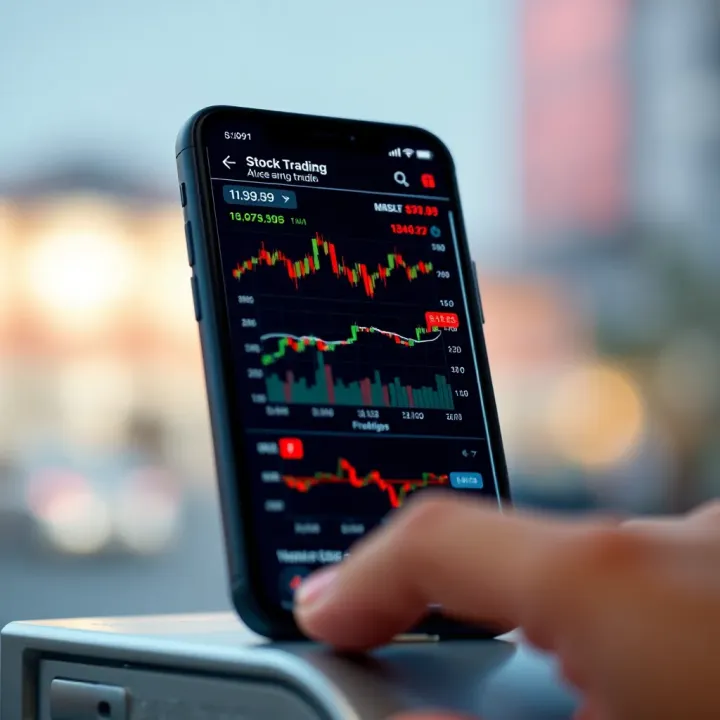
📱 Find the best mobile for trading in India with top performance, display, connectivity & security. Perfect for Zerodha Kite & other stock apps for seamless investing.
Discover how to pick the best binary trading app for Indian traders📱. Compare security, user experience, and regulations to trade safely and confidently📊.
Explore top trading apps in India 📱 Compare features, ease of use, costs, and security to pick the best platform for your trading style. Stay updated and trade smart!
Based on 11 reviews